For freelancers and solo service providers who already work with clients
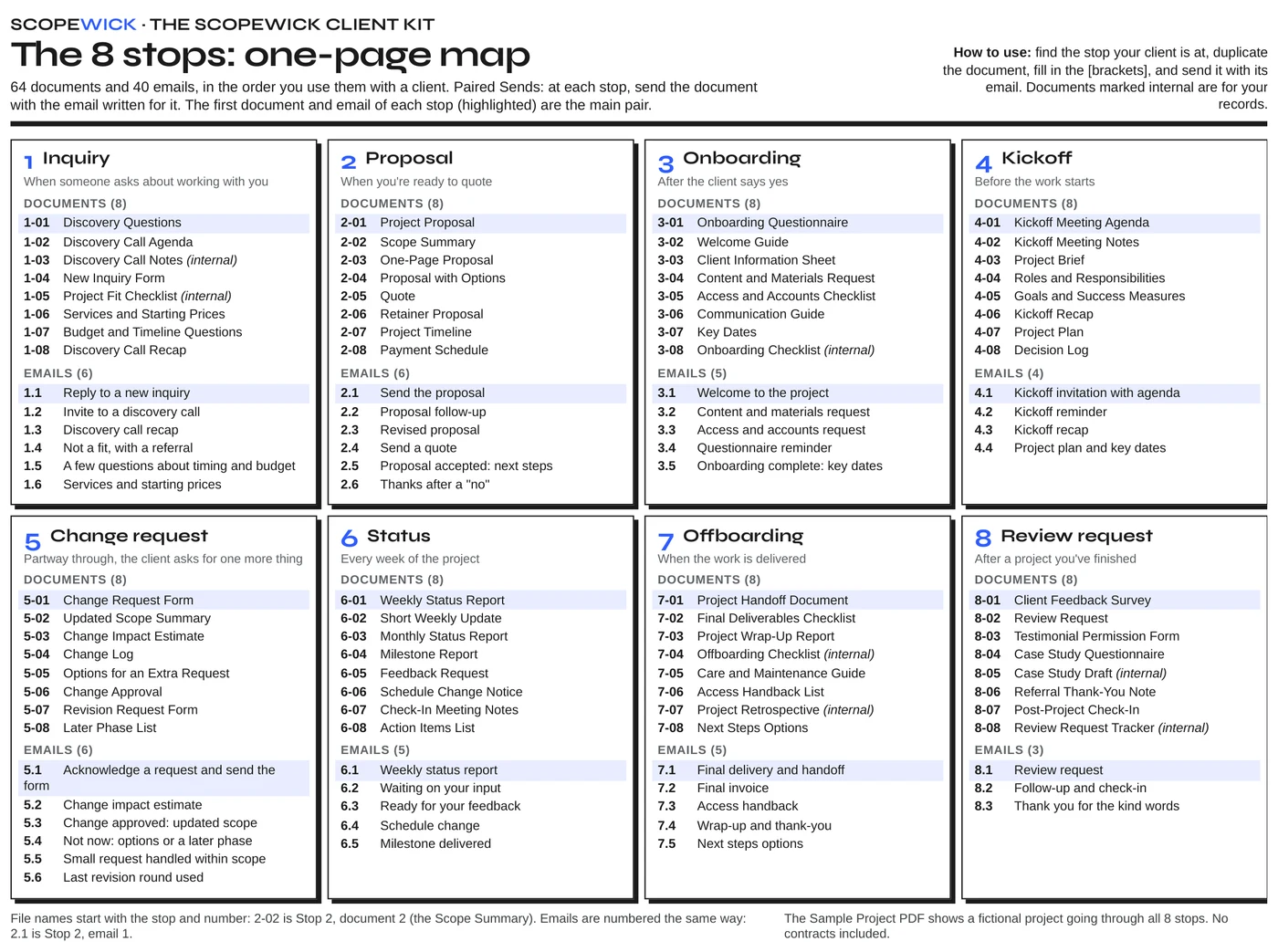
The Scopewick Client Kit is 64 editable templates and 40 email scripts, in the order you use them with a client, as DOCX, the standard format Word and Google Docs open. No contracts included.
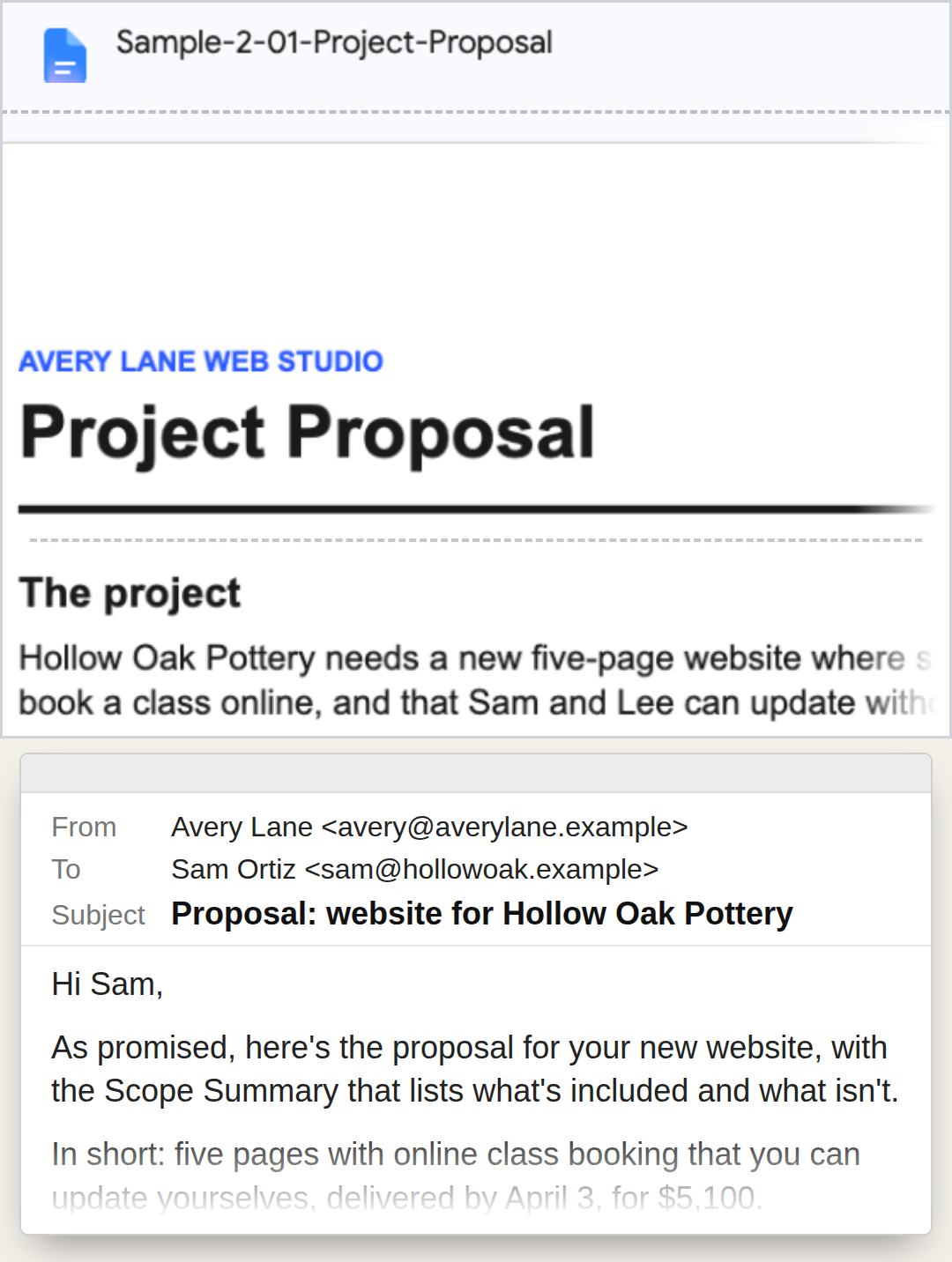
From the sample project in the kit. The designer and the client are fictional.
$67 · one-time payment
The client says yes. It's a good afternoon.
Then the sends begin. A welcome email. An onboarding questionnaire. A kickoff agenda. A status note every week. And partway through the project, a message that starts with "Quick question" and ends with one more thing that wasn't in the scope.
Each of those is a document, plus the email that goes with it. Written from scratch for every client, each one asks you to work out again what to send, in what order, and what to say when you send it.
Templates are a familiar idea. The kit is built around a narrower one: at every stop, the document and the email that sends it come together. We call it Paired Sends.
Answered on the spot, that "Quick question" leaves two default replies: do the extra for free, or have an awkward conversation about money partway through the project.
With the kit, when a client asks for one more thing, you don't improvise. The change request form, the updated scope summary and the status note are already written. You fill them in.
The tour below follows the sample project that comes with the kit: a fictional web designer and a fictional client, from the first inquiry to the wrap-up, with one change request partway through. Every document and email in it is a kit template, filled in.
When someone asks about working with you.
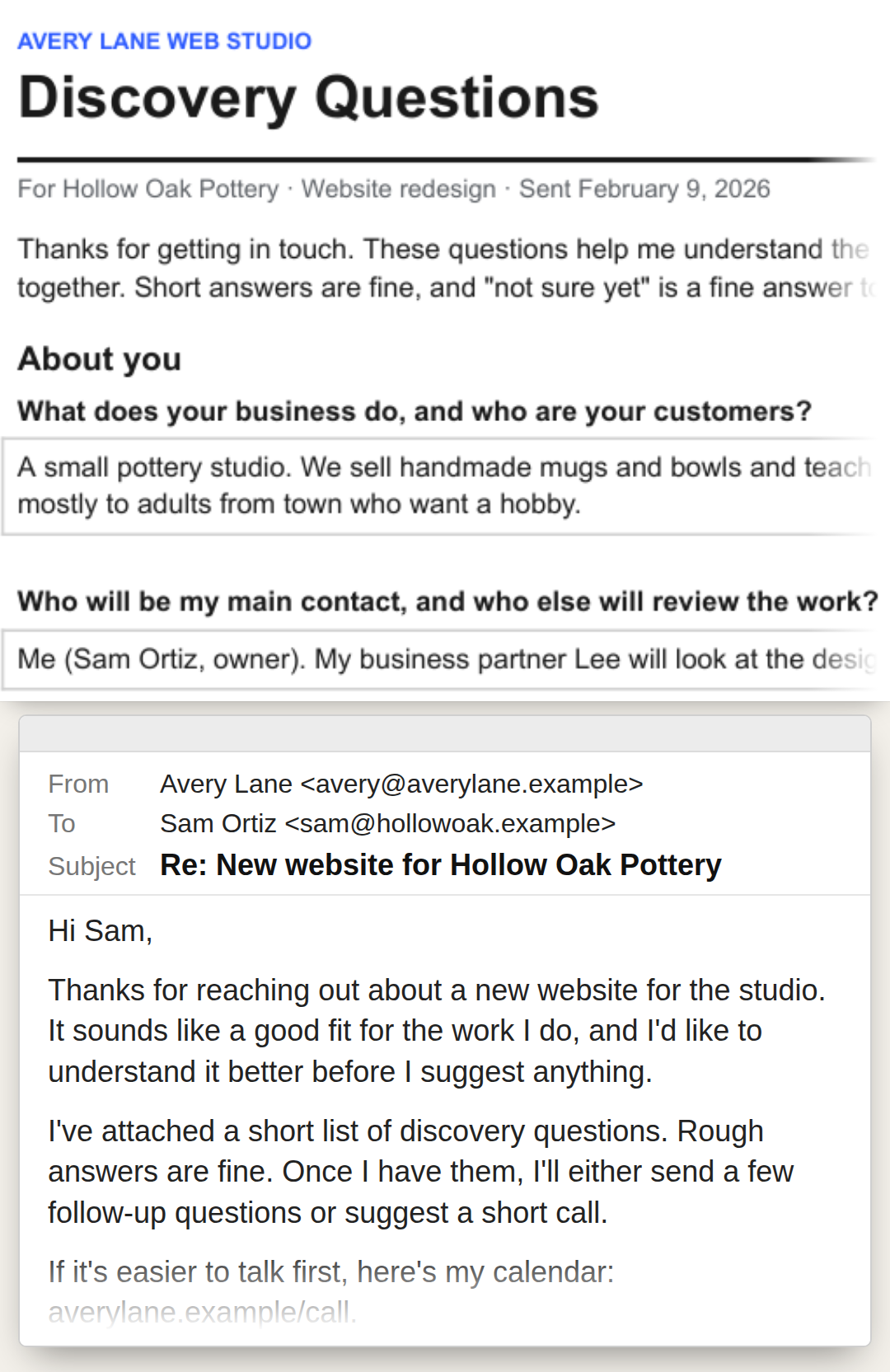
The document: discovery questions, so you understand the project before you quote it.
The email: your reply to the inquiry, with the questions.

Sample project. Fictional names.
When you're ready to quote.
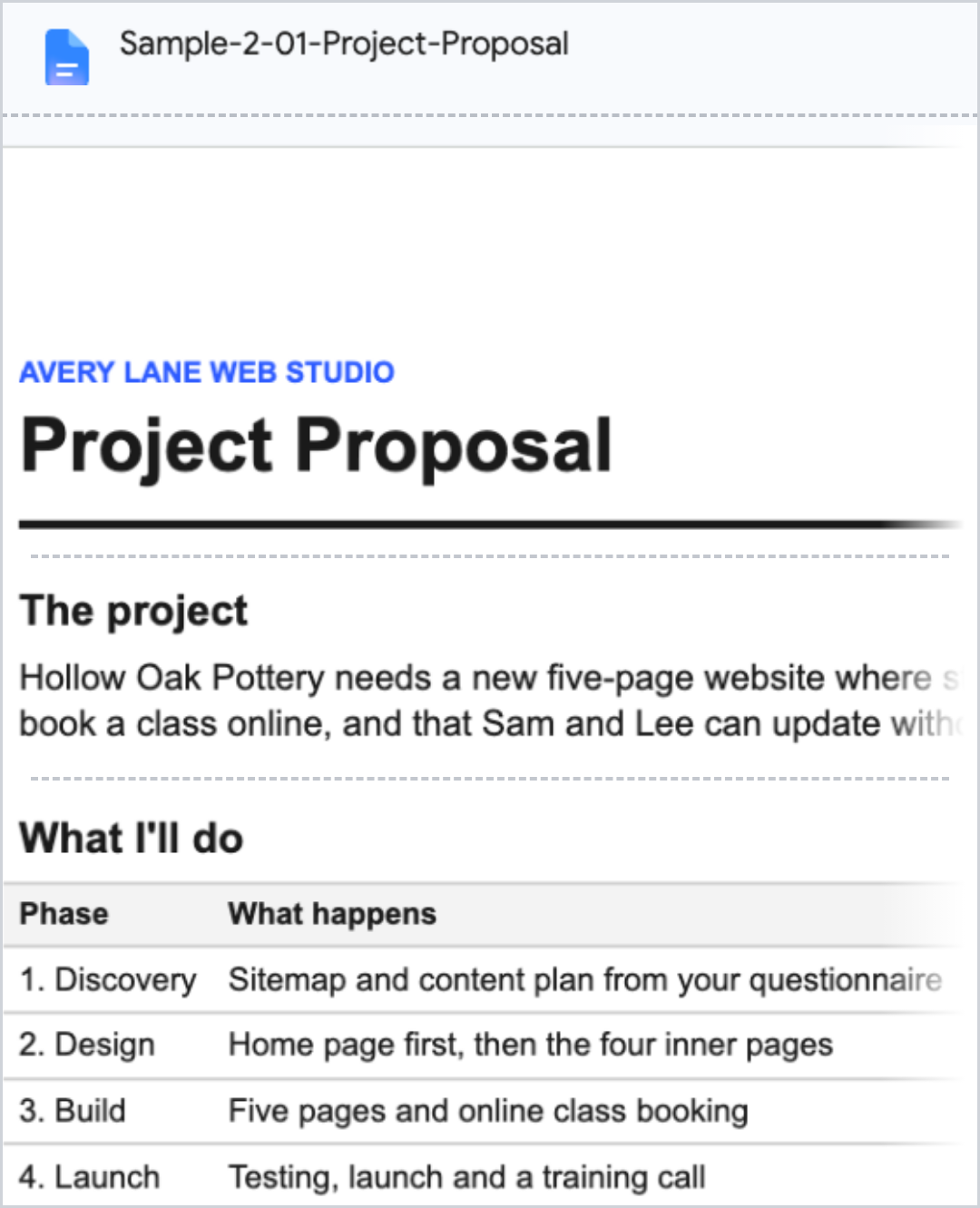
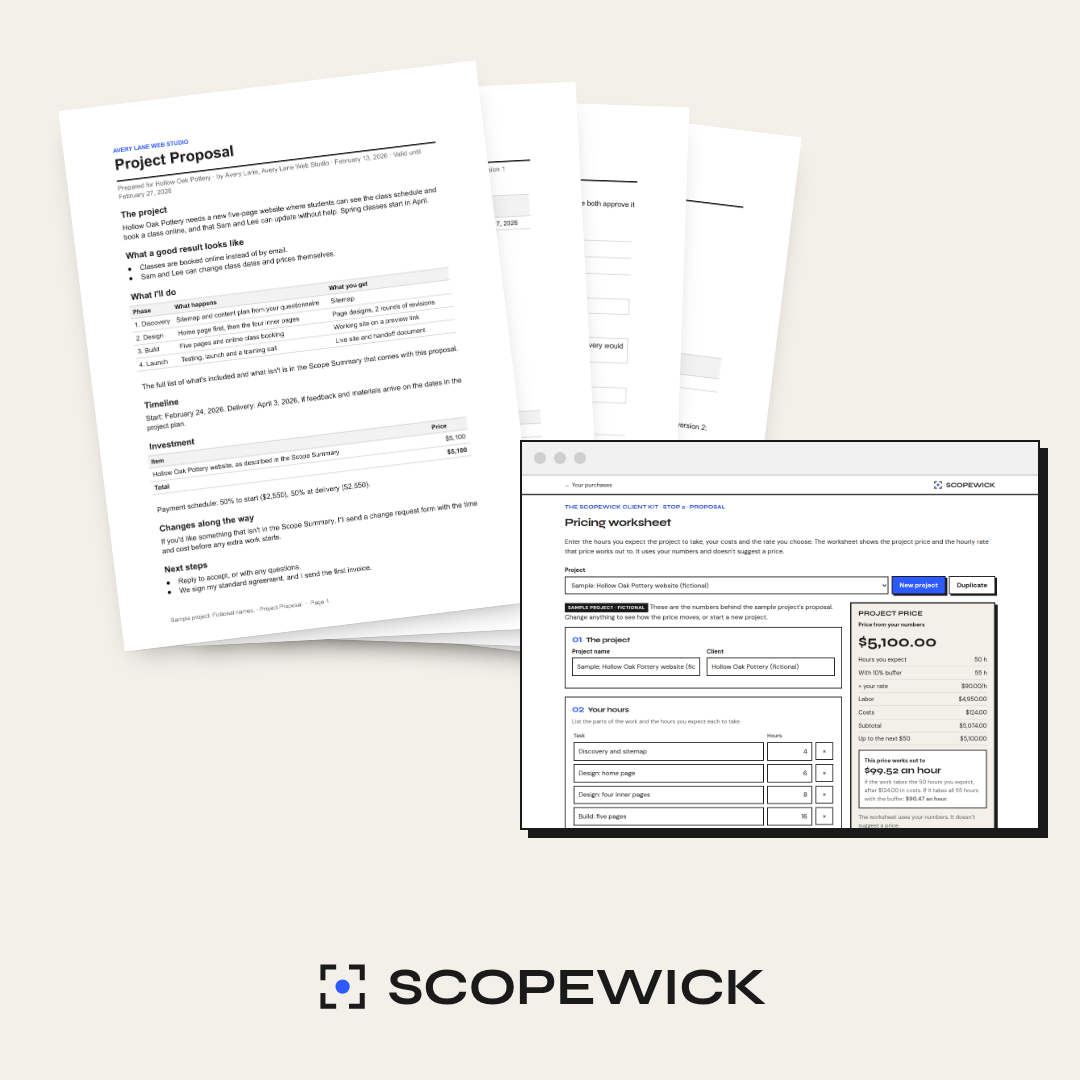
The documents: the proposal, and the scope summary of what the project includes.
The email: the one that sends the proposal.
The price in the proposal can come from the pricing worksheet. Enter the hours you expect the project to take, your costs and the rate you choose, and it shows the project price and the hourly rate that price works out to. It uses your numbers and doesn't suggest a price.
The kit doesn't include a contract. Send the proposal alongside your own.

Sample project. Fictional names.
After the client says yes.
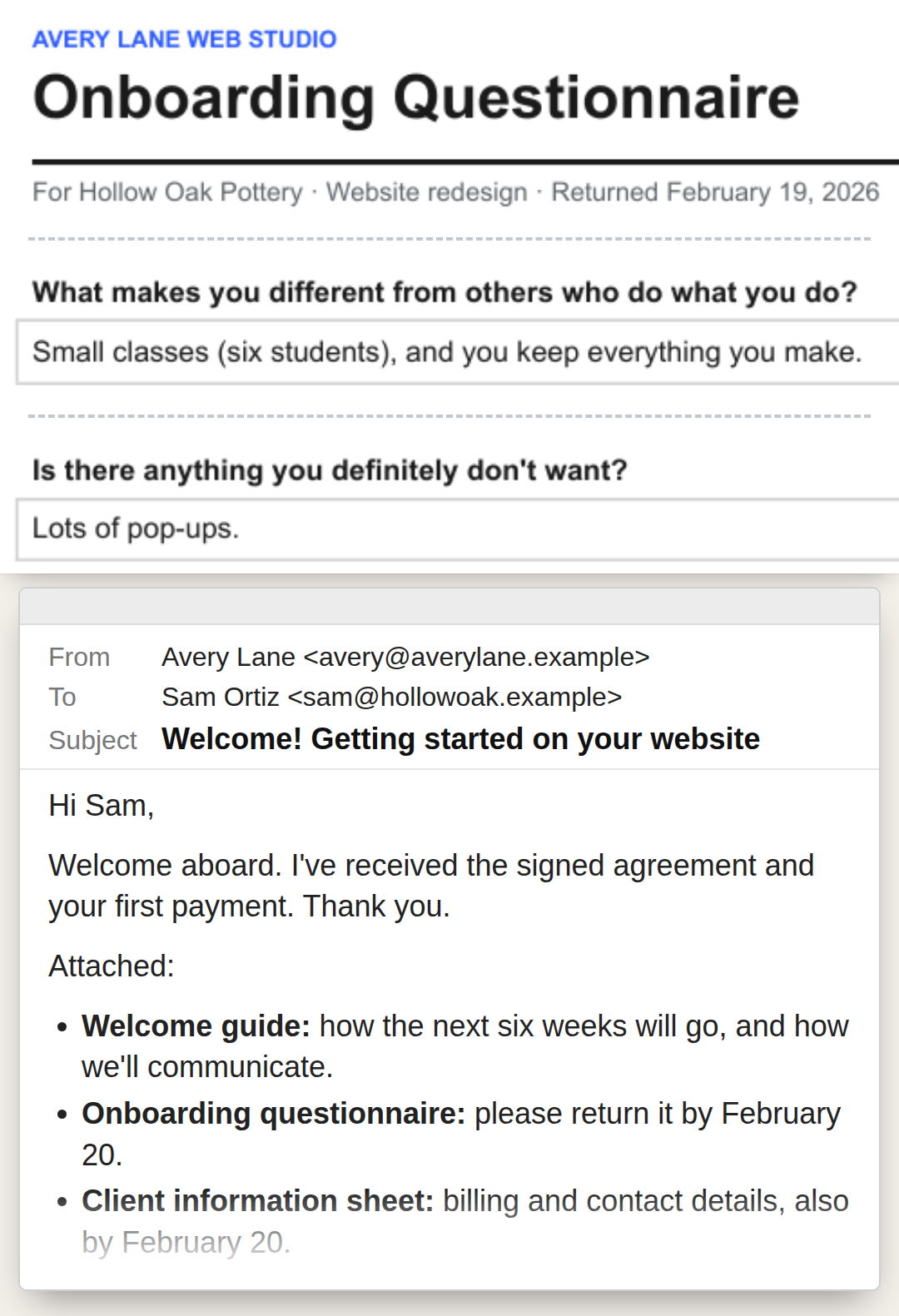
The documents: the onboarding questionnaire, for the details you need to start, and the welcome guide.
The email: the welcome email that sends them.

Sample project. Fictional names.
Before the work starts.
The document: the kickoff agenda.
The email: the one that sends the agenda ahead of the meeting.
Partway through, the client asks for one more thing.
This is where the links between the documents matter most. The scope summary from Stop 2 is already written, so the request has something to be measured against.
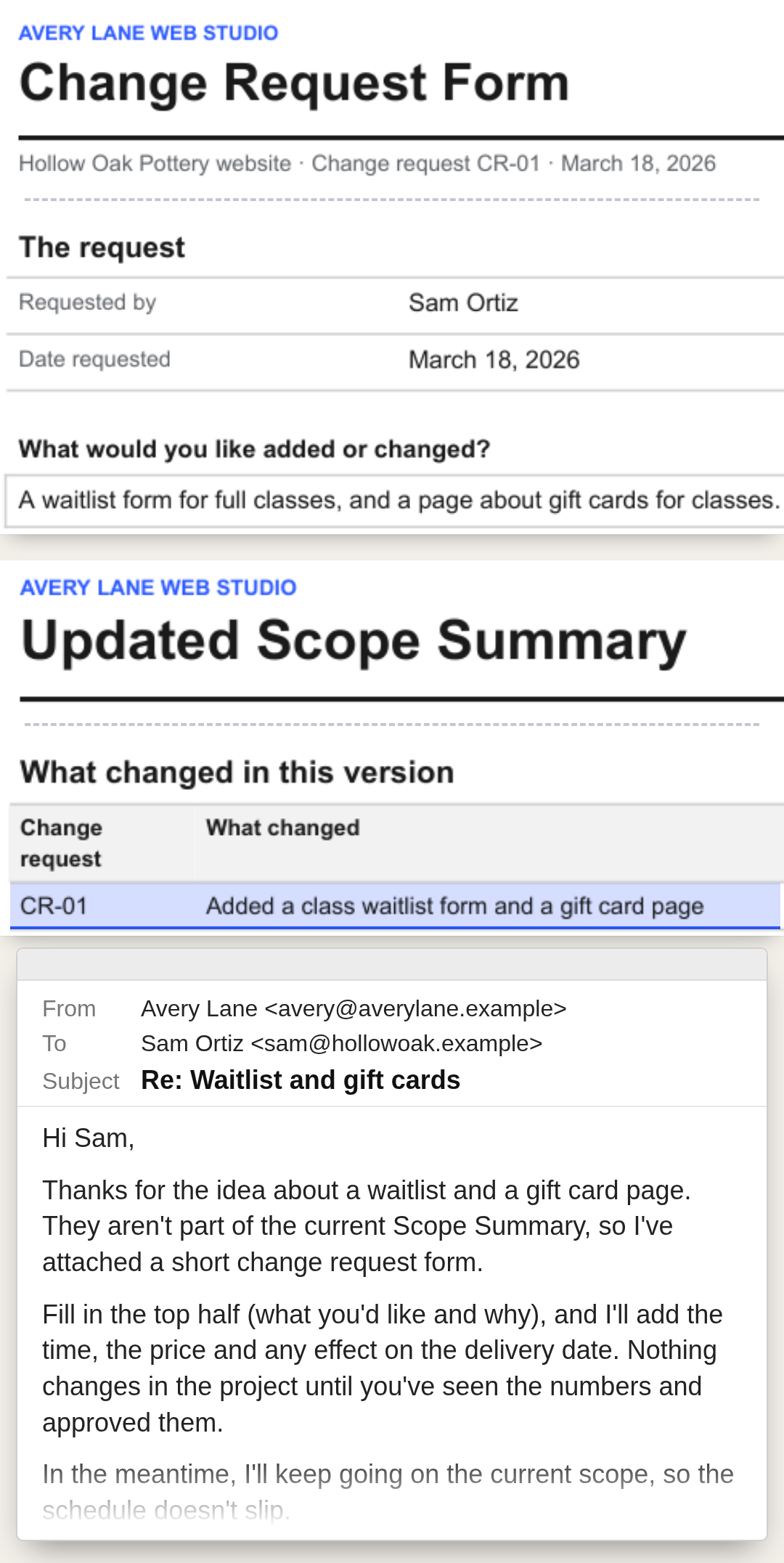
The documents: the change request form, then the updated scope summary, then a note in the next status report.
The email: the reply that acknowledges the request and sends the form.
When the answer isn't a simple yes, the same stop has a third reply, between the free extra and the awkward conversation: Options for an Extra Request. It lays out three choices: add it now, at a price; swap it for something already in scope; or move it to a later phase, after delivery. It asks the client to reply with the one they prefer. The Change Impact Estimate, the Change Approval and the Later Phase List are at this stop too.
In the sample project, one change request comes in mid-project. You can follow it from the form to the updated scope summary to the next status report.

Sample project. Fictional names.
Every week of the project.
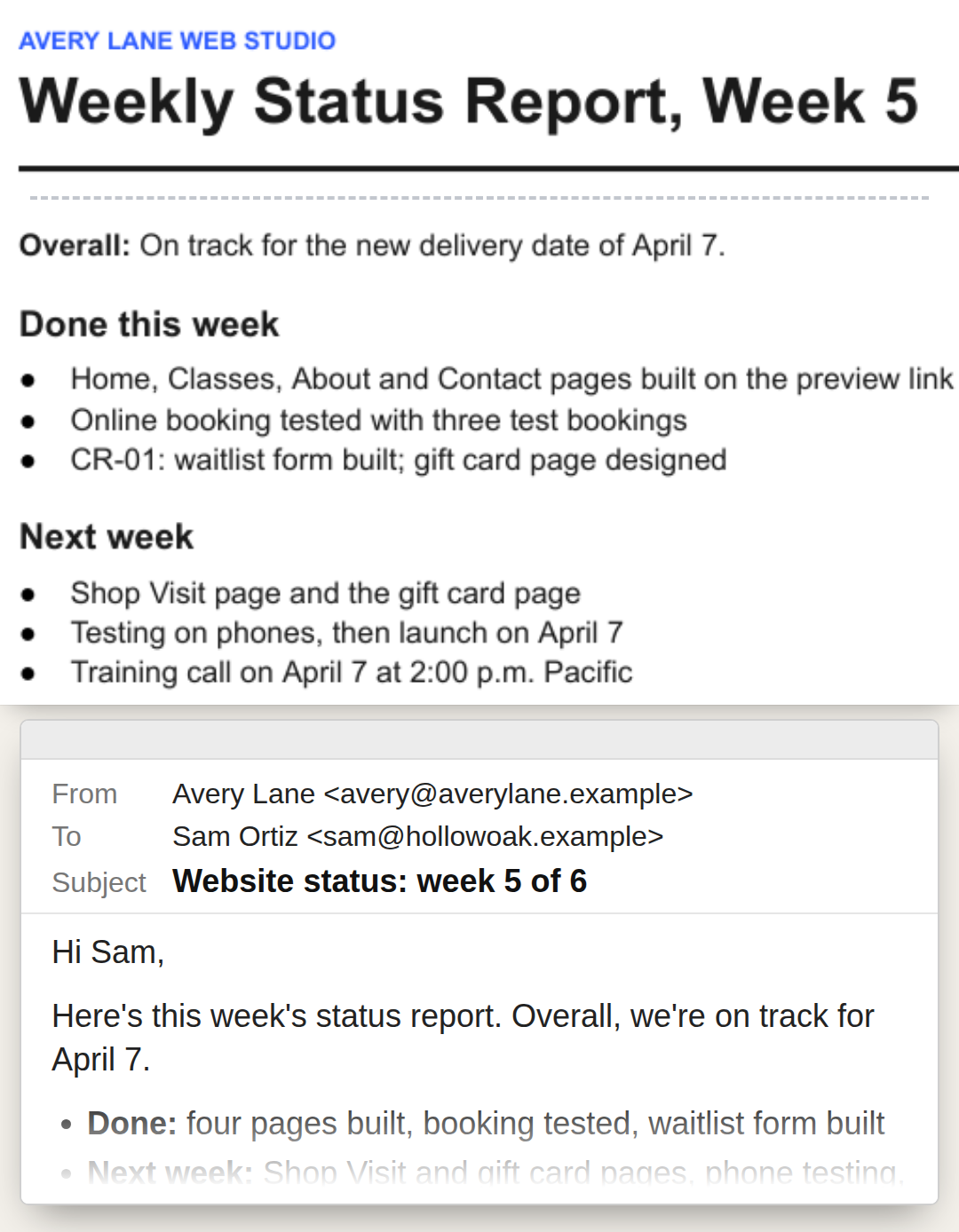
The document: the weekly status report: what's done and what's next.
The email: the one that sends it.

Sample project. Fictional names.
When the work is delivered.
The documents: the offboarding and handoff documents, for what you deliver at the end.
The email: the one that wraps up the project.
After a project you've finished.
The document and the email: a request for a review, written for clients you've actually worked with.
Every project in the kit has an offboarding step. So does your purchase: email us within 30 days. No forms. No questions.
30-day money-back guarantee on every purchase: email support@scopewick.store within 30 days of that purchase and you get a full refund for it. No forms. No questions. We issue your refund within 2 business days of your request. How long it takes to show up on your statement depends on your card issuer.

Marked (internal): for your own records.

The Scopewick Client Kit
$67 USD, one-time payment. No subscription, no renewal.
No contracts included.
Your access link arrives by email right after payment. Downloads are yours to keep. The online pricing worksheet stays available on your access page for at least 12 months from purchase; your data is saved in your browser, and you can export a backup file anytime.
$67 · one-time payment
30-day money-back guarantee on every purchase: email support@scopewick.store within 30 days of that purchase and you get a full refund for it. No forms. No questions. We issue your refund within 2 business days of your request. How long it takes to show up on your statement depends on your card issuer.
The charge appears on your card statement as AURYON SCOPEWICK.
The kit is written for freelancers who already work with clients, in design, web, marketing, writing, consulting or another service they deliver themselves; who write proposals and client emails from scratch, or from the last project; and who want a written way to handle requests that weren't in the scope.
It leaves four things to you:
Free templates work well for a single document.
What a single template leaves to you is the rest of the sequence: the email that sends it, the next document, and the links between them. Putting that together yourself means templates from different places, an email for each, and the connections from proposal to scope summary to change request to status report.
An AI chat can write any one of those on request. The kit gives you the order and the links, so each request doesn't start from a blank chat.
No. Use your own contract alongside the proposal and the scope summary.
The parts that change from client to client are in [brackets], and the sample project shows a filled-in version of every stop. You adapt the wording to your service. The kit gives you the structure and a first draft.
The templates are DOCX, the standard format Word and Google Docs open. The email scripts also come as plain text, to paste into any email.
No. It's documents and emails you edit and send yourself, plus one online worksheet for pricing.
Enter the hours you expect, your costs and the rate you choose. It shows the project price and the hourly rate that price works out to. Your data is saved in your browser, and you can export a backup file or a PDF anytime.
You'll see one optional offer. If you pass on it, a smaller version of it follows, and you can pass on that too. Your access link arrives by email right after payment; start with the one-page map of the 8 stops, then read the sample project.
Scopewick, the store that put the Client Kit together and sells it on this page. Questions? Email support@scopewick.store. We reply within 2 business days, for 12 months after your purchase. Orders are processed by our online reseller Auryon369 (Fracktal Technologies LLC), which is the merchant of record for all purchases and handles payments, refunds and billing support.
$67 is the store's price, not a promotion, and there's no timer on this page. The kit is useful from your next inquiry on, whenever that inquiry comes.
Have the next document and email ready before your next client says yes.
$67 · one-time payment